Video-Text-to-Text
Transformers
Safetensors
qwen2_5_omni
multimodal
video-understanding
audio-understanding
streaming
real-time
omni-modal
Instructions to use EurekaTian/ROMA with libraries, inference providers, notebooks, and local apps. Follow these links to get started.
- Libraries
- Transformers
How to use EurekaTian/ROMA with Transformers:
# pip install -U transformers accelerate # Load model directly from transformers import AutoProcessor, AutoModel processor = AutoProcessor.from_pretrained("EurekaTian/ROMA") model = AutoModel.from_pretrained("EurekaTian/ROMA", device_map="auto") - Notebooks
- Google Colab
- Kaggle
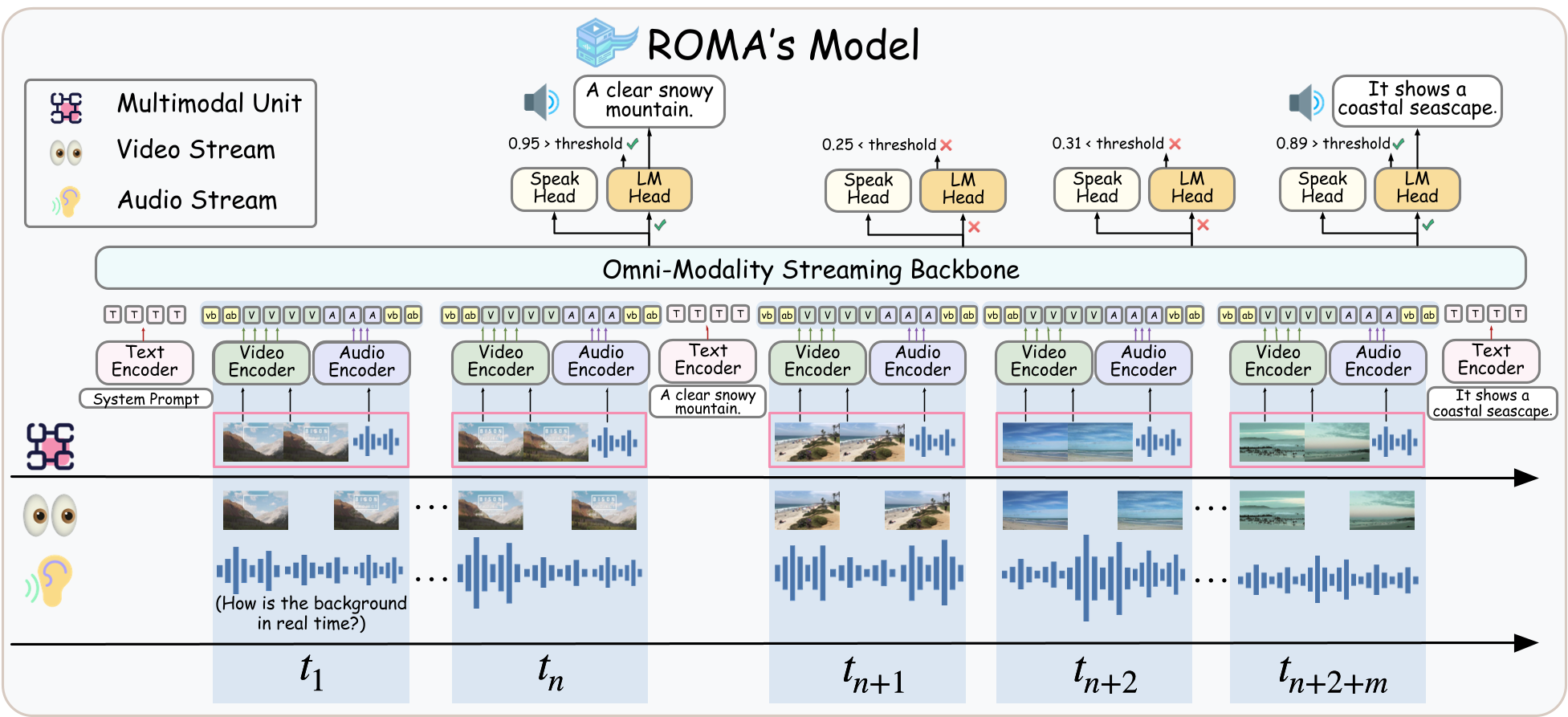
Download architecture.png from EurekaTian/ROMA: direct link, hf CLI and curl.
- Browser
- Download file 497 kB
-
https://huggingface.co/EurekaTian/ROMA/resolve/main/architecture.png
- Command line
-
hf download hf://EurekaTian/ROMA/architecture.png
-
curl -L -o architecture.png https://huggingface.co/EurekaTian/ROMA/resolve/main/architecture.png
497 kB

- Xet hash:
- 49ae075c9232192c2e645f2d6041347597d07327330f8c00aae4ac03da5dec0b
- Size of remote file:
- 497 kB
- SHA256:
- 8d90536222ee53935ef83dd06081244b04ff133c3fc956dfc6dcf28d2af798fd
·
Xet efficiently stores Large Files inside Git, intelligently splitting files into unique chunks and accelerating uploads and downloads. More info.