
import torch
from diffusers import DiffusionPipeline

# switch to "mps" for apple devices
pipe = DiffusionPipeline.from_pretrained("drbaph/HiDream-O1-Image-FP16", dtype=torch.bfloat16, device_map="cuda")

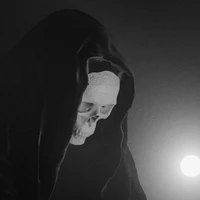
prompt = "Astronaut in a jungle, cold color palette, muted colors, detailed, 8k"
image = pipe(prompt).images[0]HiDream-O1-Image — FP16 (ComfyUI)
This is the FP16 conversion of HiDream-O1-Image for use with ComfyUI. Weights are stored in float16 — identical memory footprint to BF16 but with a different numerical range, which some GPUs handle slightly differently.

Custom ComfyUI Node: Saganaki22/HiDream_O1-ComfyUI

VRAM Requirements
| Precision | Approximate VRAM |
|---|---|
| BF16 | 17 – 20 GB |
| FP16 (this repo) | 17 – 20 GB |
| FP8 Mixed | ~10 GB |
A GPU with at least 20 GB VRAM is recommended for comfortable use at full 2048 × 2048 resolution. 24 GB cards (RTX 3090/4090, A5000, etc.) will have no issues.
BF16 vs FP16: Both use 16 bits per weight. BF16 has a wider dynamic range (better for training); FP16 has higher precision in the mantissa. For inference on consumer GPUs, differences are typically negligible. If you see NaN/Inf errors with FP16, try the BF16 variant instead.
Quick Start — ComfyUI
1. Install the Custom Node
cd ComfyUI/custom_nodes
git clone https://github.com/Saganaki22/HiDream_O1-ComfyUI
pip install -r HiDream_O1-ComfyUI/requirements.txt
Or install via ComfyUI Manager by searching for HiDream O1.
2. Download the Weights
huggingface-cli download drbaph/HiDream-O1-Image-FP16 \
    --local-dir ComfyUI/models/diffusion_models/HiDream-O1-Image-fp16
3. Load in ComfyUI
Open ComfyUI and use the workflow provided in the custom node repository. Point the model loader to HiDream-O1-Image-fp16.
About HiDream-O1-Image
HiDream-O1-Image is a natively unified image generative foundation model built on a Pixel-level Unified Transformer (UiT) — no external VAEs, no disjoint text encoders. It encodes raw pixels, text, and task-specific conditions in a single shared token space, supporting:
- Text-to-image generation up to 2,048 × 2,048
- Instruction-based image editing
- Subject-driven personalization (multi-reference IP)
- Long-text and multilingual text rendering
At only 9B parameters it matches or exceeds much larger open-source DiTs and leading closed-source models. It debuted at #8 in the Artificial Analysis Text to Image Arena (2026-05-05).
Key Features
- 🧬 Pixel-Level Unified Transformer — end-to-end on raw pixels, no VAE, no disjoint text encoder
- 🎨 One Model, Many Tasks — T2I, editing, personalization, storyboard generation
- 🧠 Reasoning-Driven Prompt Agent — built-in "thinking" agent that resolves layout and rendering before generation
- 🖼️ Native High Resolution — direct synthesis up to 2,048 × 2,048
- ⚡ 9B Parameters — performance parity with models many times larger
Model Variants
| Repo | Precision | VRAM | Inference Steps |
|---|---|---|---|
| drbaph/HiDream-O1-Image-BF16 | BF16 | 17–20 GB | 50 |
| drbaph/HiDream-O1-Image-FP16 (this repo) | FP16 | 17–20 GB | 50 |
| drbaph/HiDream-O1-Image-FP8 | FP8 Mixed | ~10 GB | 50 |
| HiDream-ai/HiDream-O1-Image | Original | — | 50 |
| HiDream-ai/HiDream-O1-Image-Dev | Original Dev | — | 28 |
Benchmark Results (from original model)
GenEval (compositional generation) — HiDream-O1-Image scores 0.90 overall at 9B params, second only to the 200B+ Pro variant and ahead of GPT Image 2 (0.89).
DPG-Bench (dense prompt alignment) — Overall score 89.83, ranking second behind the Pro variant.
HPSv3 (human preference) — Overall score 10.37, outperforming GPT Image 2 (10.21) and Nano Banana 2.0 (10.01).
License
The original HiDream-O1-Image model and code are released under the MIT License. This FP16 conversion inherits the same license.
Links
- 🔗 Original model: HiDream-ai/HiDream-O1-Image
- 🔧 ComfyUI node: Saganaki22/HiDream_O1-ComfyUI
- 📑 Technical report: HiDream-O1-Image.pdf
- 🤗 Online demo: HiDream-O1-Image Space
- Downloads last month
- 65